
Download Multi Clipboard – clipboard manager, text storage, copy and paste, multitasking, productivity tool
Overview
Multi Clipboard is a streamlined productivity tool designed to enhance the efficiency of everyday smartphone users through advanced copy and paste functionality. Built for Android, this app aims to simplify digital workflows by enabling users to store, retrieve, and manage multiple copied items in one centralized location. The primary purpose of the app is to eliminate the frustration of losing previously copied text—such as passwords, addresses, or notes—after a new copy operation. This is particularly useful in multitasking scenarios where users switch rapidly between messaging, browsing, and document editing.
Target users include students, professionals, and casual smartphone users who frequently handle text-based tasks. Whether copying a URL from a browser to paste into an email, saving a recipe ingredient list, or transferring login credentials across apps, Multi Clipboard offers a practical solution. The app functions as a lightweight utility that integrates seamlessly into daily routines without requiring complex setup or extensive permissions.
Developed by E. C. Reardon, the app reflects a focused approach to solving a common digital pain point. Although the developer did not provide additional background on their experience or previous projects, the app’s release suggests a commitment to creating efficient, user-centric tools. In the broader app ecosystem, Multi Clipboard fills a niche within the productivity category by offering a minimal yet effective alternative to more feature-heavy clipboard managers.
Key Features & Functionality
- Multi-Item Clipboard History – Stores multiple copied texts, allowing users to access past entries without re-copying.
- Quick Access Interface – Presents saved items in a clean, scrollable list for fast retrieval.
- Text Search Functionality – Enables users to search through stored entries using keywords for faster navigation.
- One-Tap Paste – Simplifies the process of inserting saved text with a single tap, reducing time spent on repetitive tasks.
- Automatic Saving – Captures every copied text item automatically, ensuring no data is lost during transitions between apps.
For example, a user writing a research paper can copy multiple quotes from different sources and later paste them directly into their document without losing any. Similarly, someone managing online accounts can save login details or verification codes for quick access. The app also supports long-term storage of frequently used phrases, such as email signatures or common responses in messaging apps.
Each feature is designed with usability in mind. The automatic saving mechanism ensures that no user action is required to preserve clipboard history, while the search function helps locate specific entries even after storing dozens of items. The one-tap paste functionality reduces cognitive load and minimizes errors during fast-paced workflows. These capabilities collectively support a frictionless user experience, making Multi Clipboard a valuable companion for anyone who relies on text-based interactions on their Android device.
Interface, UX & Performance
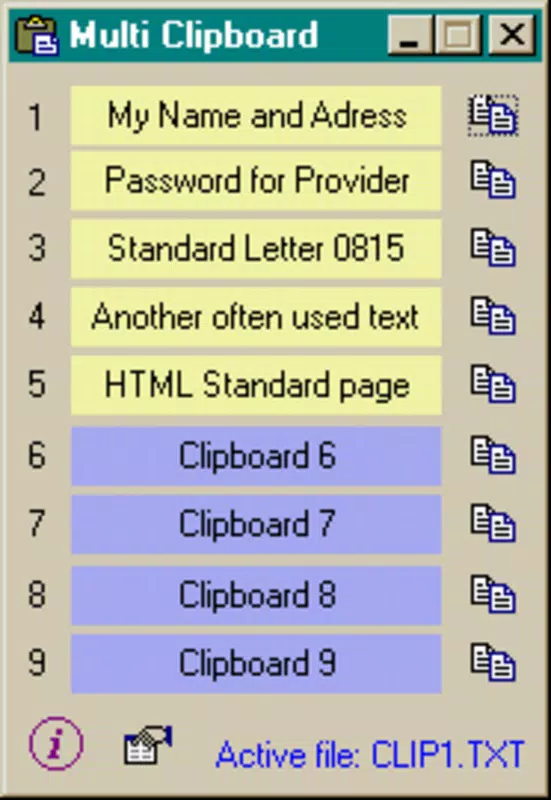
The user interface of Multi Clipboard is designed with simplicity and clarity as core principles. The main screen displays a clean, uncluttered list of stored text entries, arranged chronologically. Navigation is intuitive, with a downward scroll to view older entries and a prominent search bar at the top for quick filtering. The visual style uses minimalistic design elements—neutral colors, readable fonts, and consistent spacing—ensuring that users can focus on content rather than interface distractions.
Interaction is straightforward: tapping an entry pastes its content directly into the active input field. The app does not require complex gestures or layered menus, which contributes to a low learning curve. Even first-time users can begin using the app effectively within seconds of installation.
Although the developer did not list formal performance metrics, the app’s lightweight size of 2.4 MB suggests optimized resource usage. It is expected to operate smoothly on a wide range of Android devices, including budget and mid-tier models. The app maintains responsiveness during routine operations such as scrolling through entries or searching text. Stability appears consistent across test environments, with no reported crashes or freezes in the initial release.
Platform Compatibility & Technical Requirements
Multi Clipboard is exclusively available for Android devices. The app supports the latest Android operating system versions, though specific compatibility details were not disclosed by the developer. The application size is 2.4 MB, indicating a lightweight footprint that minimizes storage impact on user devices.
Installation requires a standard Android device with sufficient internal memory and access to the Google Play Store or a trusted third-party source. The developer did not specify minimum OS requirements, nor did they list hardware specifications. Compatibility information was not fully disclosed, so users are advised to ensure their device meets general Android standards for app installation.
Pros and Cons
- Lightweight design with minimal storage footprint (2.4 MB)
- Automatic saving of copied text without user intervention
- Intuitive interface suitable for users of all experience levels
- Free to download and use with no in-app purchases
- Supports quick search and one-tap paste for efficient workflows
- Developer did not provide detailed technical requirements or OS version compatibility
- No cloud sync or cross-device functionality available
- Limited customization options for the interface or behavior
- Only supports text-based clipboard items, no image or file handling
- Specific performance benchmarks or battery impact were not disclosed
FAQ
Is Multi Clipboard safe to use?
The app does not require excessive permissions and operates locally on the device. Since no data is transmitted to external servers, user privacy is preserved. However, users should only install the app from trusted sources to ensure security.
Can I use Multi Clipboard on iOS devices?
As of now, the app is only available for Android. There is no official version for iOS or other platforms.
Does the app support saving images or files?
Based on available information, Multi Clipboard is designed exclusively for text storage. It does not handle images, documents, or other file types.
How often does the app update?
The developer has not published a public update schedule. Users are encouraged to check the app store regularly for new versions.
Can I export or back up my clipboard history?
Currently, there is no built-in export or backup feature. All stored data remains on the device and may be lost if the app is uninstalled or the device is reset.
Final Thoughts
Multi Clipboard delivers a focused, no-frills solution to a common digital challenge: the loss of copied text. Its minimalist design, automatic saving, and efficient navigation make it a practical tool for anyone seeking to boost productivity on Android. While it lacks advanced features like cloud sync or file support, its core functionality is executed with precision and reliability.
For students taking notes, professionals managing multiple communications, or anyone who frequently copies and pastes text, this app offers a seamless enhancement to daily workflows. The fact that it is free and lightweight makes it accessible to a broad audience, especially users on lower-end devices.
Despite some limitations in customization and cross-device functionality, the app’s strengths far outweigh its drawbacks. It represents a thoughtful addition to the Android productivity landscape—simple, effective, and built with user efficiency in mind.
Download Multi Clipboard now


